See it. Use it. Ask about it.
The page stays usable while its specialist works with the application’s records and tools.
A distributed workspace
The application can live in your workspace. The program can stay on your computer. You can be somewhere else.
Jarvis coordinates the task. Application concierges handle their domains. Orbit connects agents and bound programs on your devices. Connections bring the services you authorize into reach.
Distributed agents · connected devices
Your swarm is the parent of every device you connect. Sign in from a phone or a browser, enroll a computer with Orbit, and Jarvis can use the tools each device offers, with the permissions you give it.
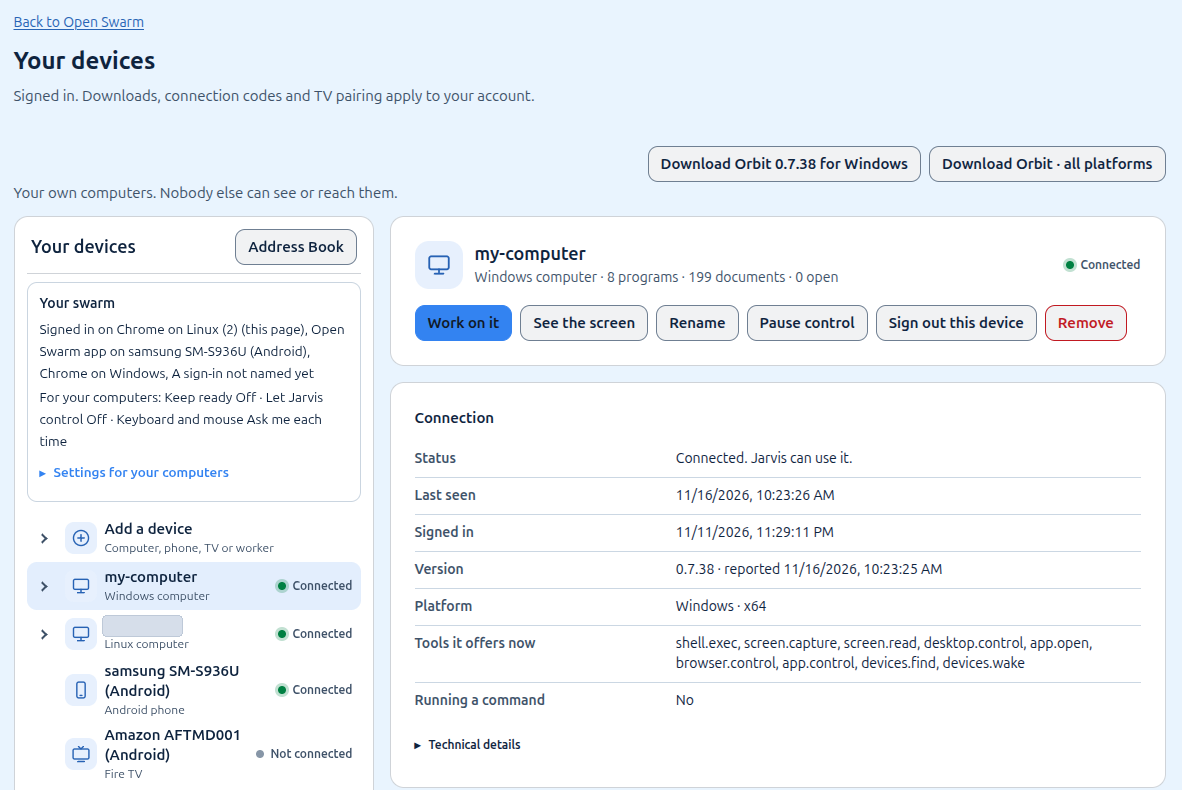
One device, up close
Open a device to see how the swarm reaches it now and whether that route is working, then what Jarvis may do there: control it, see and read the screen, use the keyboard and mouse, open applications. A switch that is off says why.
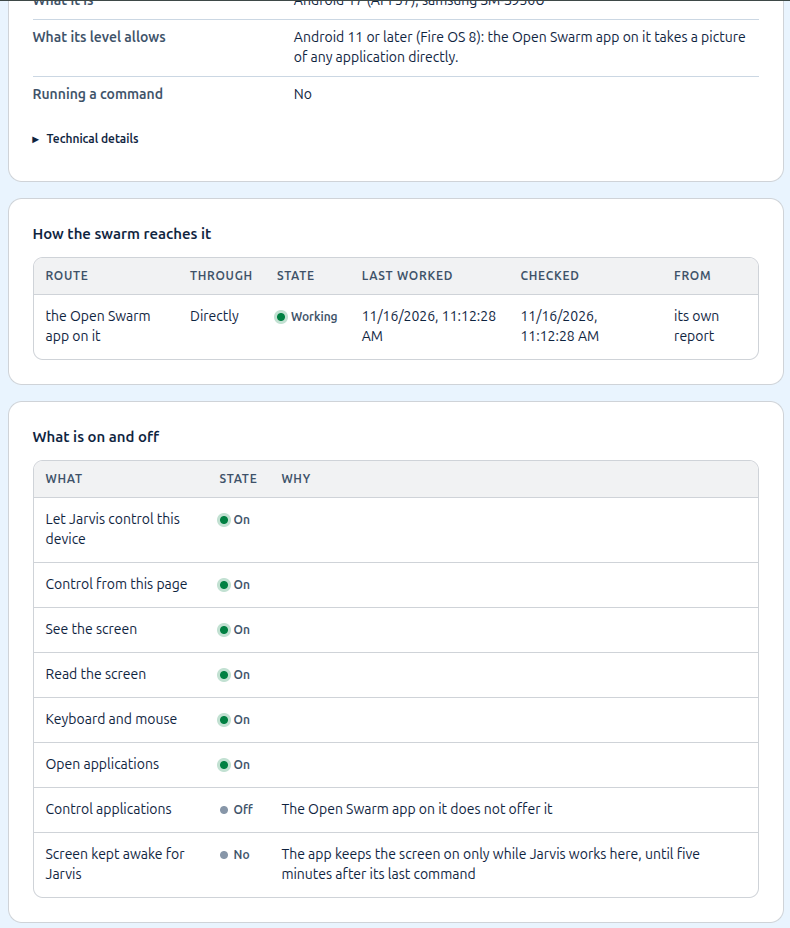
Chained work we have verified
In a recorded desktop test (November 14, Orbit 0.7.25), Jarvis added a paragraph to an open LibreOffice document through a Moon docked beside it. The change appeared in the document and in the Moon’s change history, with Undo.
In integration tests with real Blender and Godot, Jarvis’s Blender actions built, rigged and animated a character and exported it as a glTF file; Godot imported it with both animations and its skeleton.
The Devices page shows each computer’s live connection and the tools it offers Jarvis right now: commands, screen capture and reading, desktop, application and browser control, finding and waking devices.
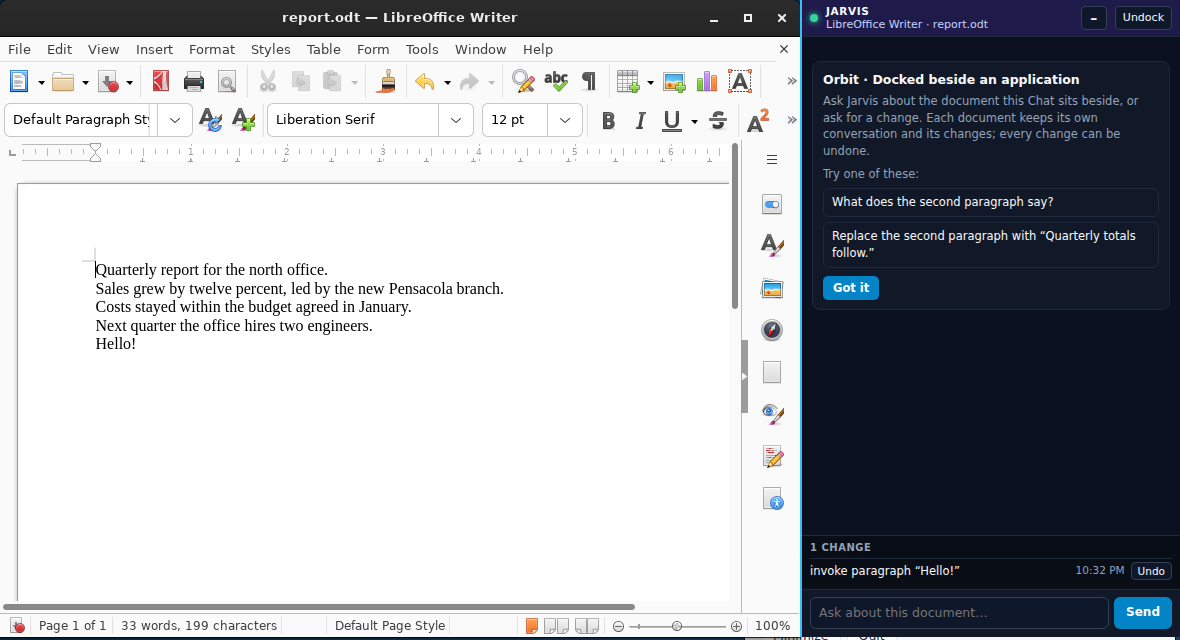
The application and the assistant
Open an application with its concierge beside it. Use the real interface, ask about what is on screen, and bring supported changes back into the same work.
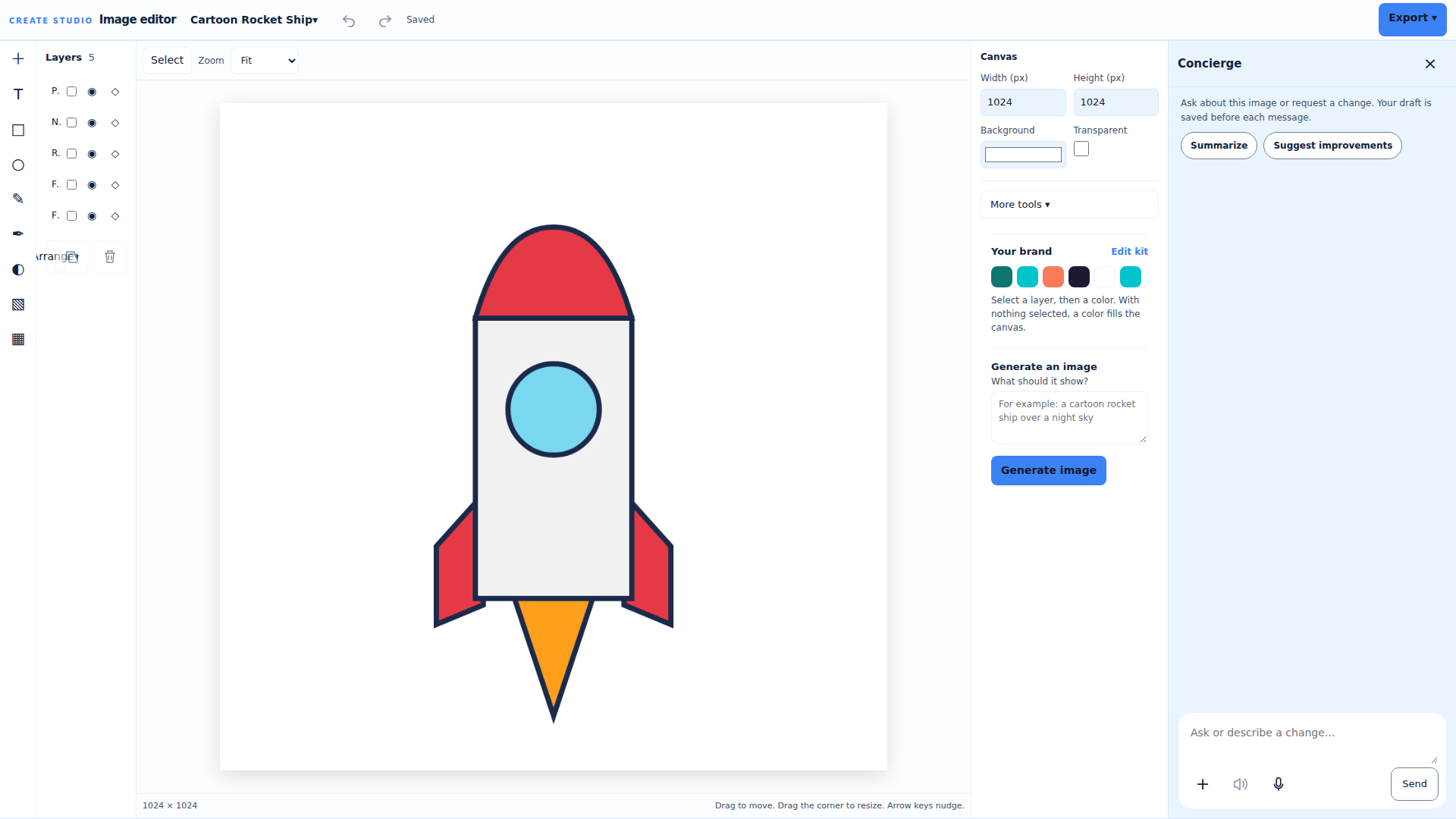
The page stays usable while its specialist works with the application’s records and tools.
Supported editors pass the saved draft, revision and selection to the assistant. Accepted edits return to the editor you opened.
Orbit and Moon extend the conversation to bound desktop programs, with the controls each bridge supports.
Available actions vary by application, connection and permissions.
Orbit + Moon
Orbit connects a computer to your swarm. A Moon brings Jarvis beside a bound application or document.
Keep working in the software you already use. Ask from beside the window—or from another conversation on your phone. Supported bridges can read and edit the open work through the program’s own controls.
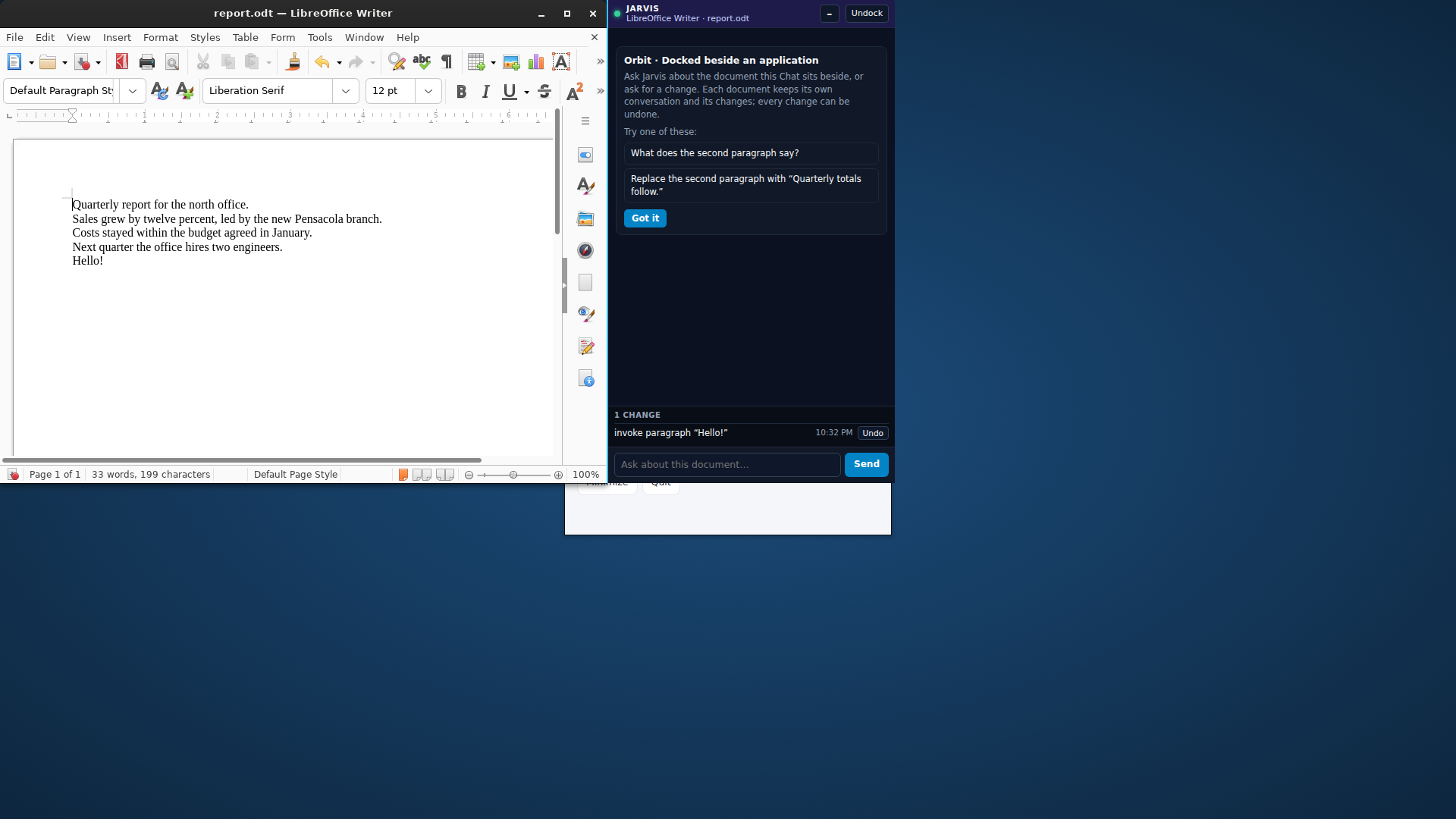
Open work, its context and its conversation stay connected. Review changes and use the available Undo controls.
Self-managed · secure · distributed
Choose the applications you need and where they run. Start with home and education, add a team, or deploy the platform in your organization’s cloud with agents across your devices.
A running CRM QA installation used about 2.15 GB of an 8 GB host’s memory in a November 15 snapshot. Your application mix, services and workload determine the resources you need.
An observation, not a minimum requirement. Client devices and remotely hosted AI are not included.
Run a self-managed installation for your household or learning. Use models on your own hardware or provider accounts or, where your administrator allows it, sign in to your own Claude, Codex (with a ChatGPT plan) or Antigravity account in Orbit and use it from your swarm.
Plan limits apply. Media generation and other specialized services have their own requirements.
Use team and enterprise deployment modes, container and Kubernetes installation paths, scoped access and managed releases. Enrolled devices and distributed agents bring the work to the tools.
Identity and role-based access, person and tenant data boundaries, an encrypted credential vault, sandboxed application processes and permissioned connections govern who can reach what.
Skinnable. Integrated. Extensible.
Choose a shared appearance or let applications wear their own colors. Add-ons can bring their own screens, specialist tools and connections into the same workspace.
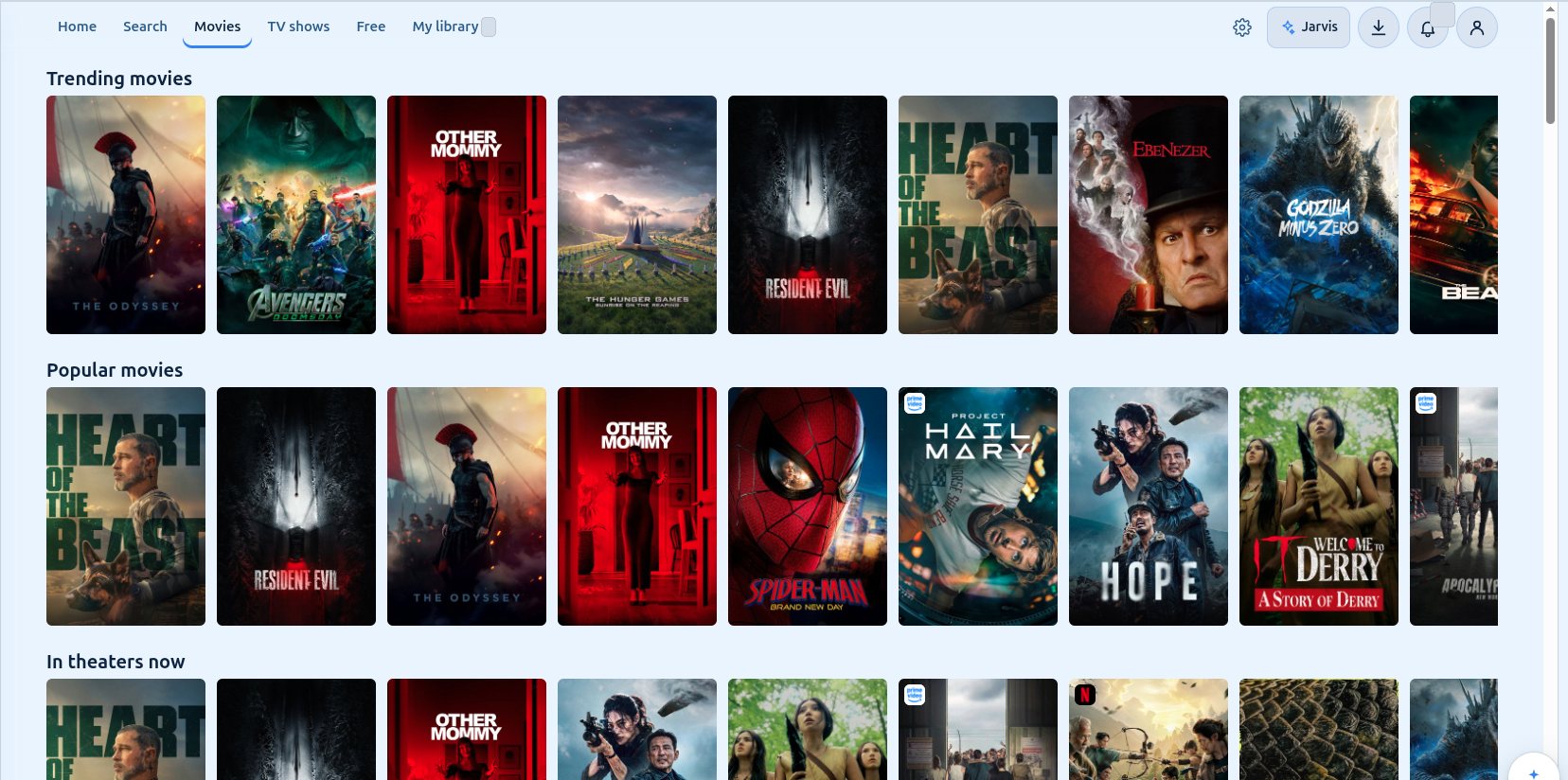
A media application with its own identity: discovery, household profiles, libraries, reminders, Jarvis tools and supported playback handoffs.
Built as an integrated add-on. A public contributor release in a separate repository is planned.
Explore MarqueeJarvis Developer Mode
Administrators can work with Jarvis on source changes, run checks and refresh applications in their own Blue session while other sessions continue in Green.
n8n workflow import is planned; it is not in the current release.
Review a delivery plan before promoting eligible application packages. Application packages must be committed, pushed and merged; platform deployment follows its own release path.
Build on the platformConnected work, made concrete
In integration tests with real Blender and Godot, Jarvis’s Blender actions built, rigged and animated a character and exported it as a glTF file; Godot imported it with both animations and its skeleton.
Recorded integration test · example project
A request in the person’s conversation can reach their enrolled computer, read a bound application and apply a supported change. The document keeps its conversation and change history.
Operations brings source records into an incident. Workflow steps, review, approved actions and verification keep separate records of what happened.
Connect the applications, devices and services you want to use. Available controls depend on the device, program, bridge and permissions. Local models and external providers can be configured; connected services receive the information sent to them.
Bring it together
Use a hosted workspace or run your own. Connect the services and devices you choose, with the models and permissions that suit your world.