On screen
What it looks like.
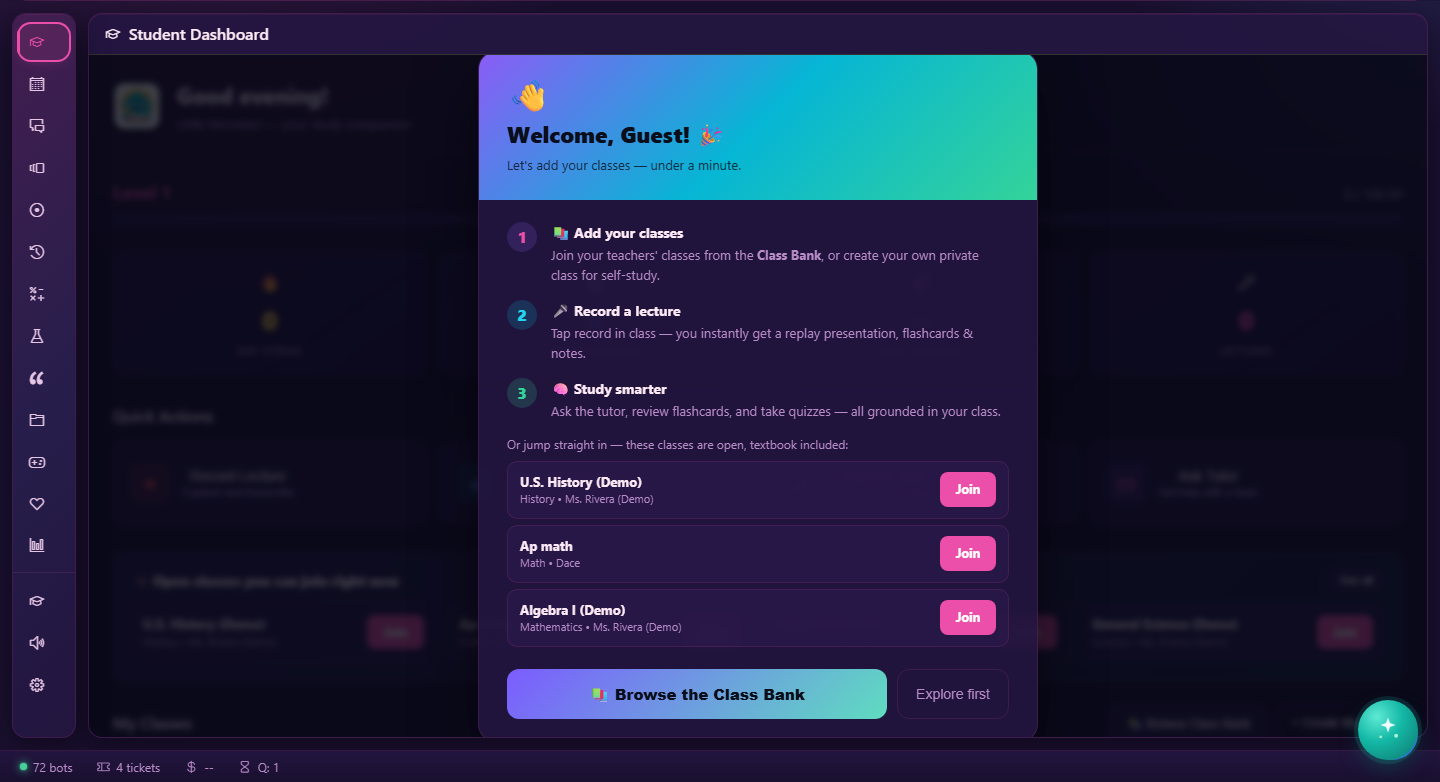
Home & life · Store package · v1.3.1
Voice-first ADHD study companion for K-12: lecture capture, flashcards, authoritative quizzes, and a Socratic tutor grounded in caller-owned or teacher/admin-approved class material.
Opens at littlemonsters.oshal.ai — the app lives in the hostname, so a first login lands you right back on it. On your own box it is ?app=little-monsters.
15 screens in the ribbon · opens on lm-dashboard
On screen
How it runs
Not a chat window with a plugin behind it. Every step below is something the app declares in its manifest, which is why it can be told to you plainly.
Opening ?app=little-monsters loads its 15 screens into the shared cockpit, starting on lm-dashboard. The ribbon, the ticket list and the assistant are already there — the app contributes views, not a second application to log into.
The assistant classifies what you asked for and hands it to the bot that owns that domain. You do not pick the app, and you do not learn a command — routing is by declared capability, not by keyword matching a menu.
lecture-scribe, class-tutor, quiz-master, textbook-librarian, study-coach, writing-coach are accountable for the work. 25 declared capabilities say what it is trusted to do; the tokens and dollars it spends are recorded against that identity, so the cost has a line item rather than disappearing into a monthly bill.
Scheduled and swarm-initiated work enters the queue as a education ticket. It is durable, it has an owner, you can watch it move through its phases, and if it fails it fails somewhere you can open and read.
Back on the app's own screens, as state you own — not as a chat message you have to scroll back to find.
With the assistant
The assistant is the front door. It classifies your request, delegates to the bot that owns the domain, and answers in one voice — so you do not have to know which of the applications this happens to live in.
lecture-scribe, class-tutor, quiz-master, textbook-librarian, study-coach, writing-coach advertise what they are accountable for, and the assistant matches against that.Accountability
Declared in the manifest and bound to the bot above — so "what is this thing allowed to do" is a list you can read, not a prompt you have to trust.
What it needs
deck-generation voice rag tool-registry storage — reached by declaration, never by copying platform code into the package.Also on the home & life shelf
Sync your upcoming primary-calendar events explicitly and prepare reviewed gift, meal, travel and meeting plans
Learn more → Home & lifeStoreDrone fleet automation control - arm, take off, fly waypoint missions, and coordinate multi-drone fleet plans inside a hard geofence with…
Learn more → Home & lifeStoreAI Uber Eats concierge — search restaurants, browse menus, build an order, and hand off a ready Uber Eats checkout you confirm and pay in your own…
Learn more → Home & lifeStoreAI Uber Rides concierge on a real map — set pickup and destination by pin or address, see the measured distance, compare ride types with labelled…
Learn more →Underneath
This app does not ship its own queue, its own credential store or its own cockpit. It declares what it needs and the platform provides it.