On screen
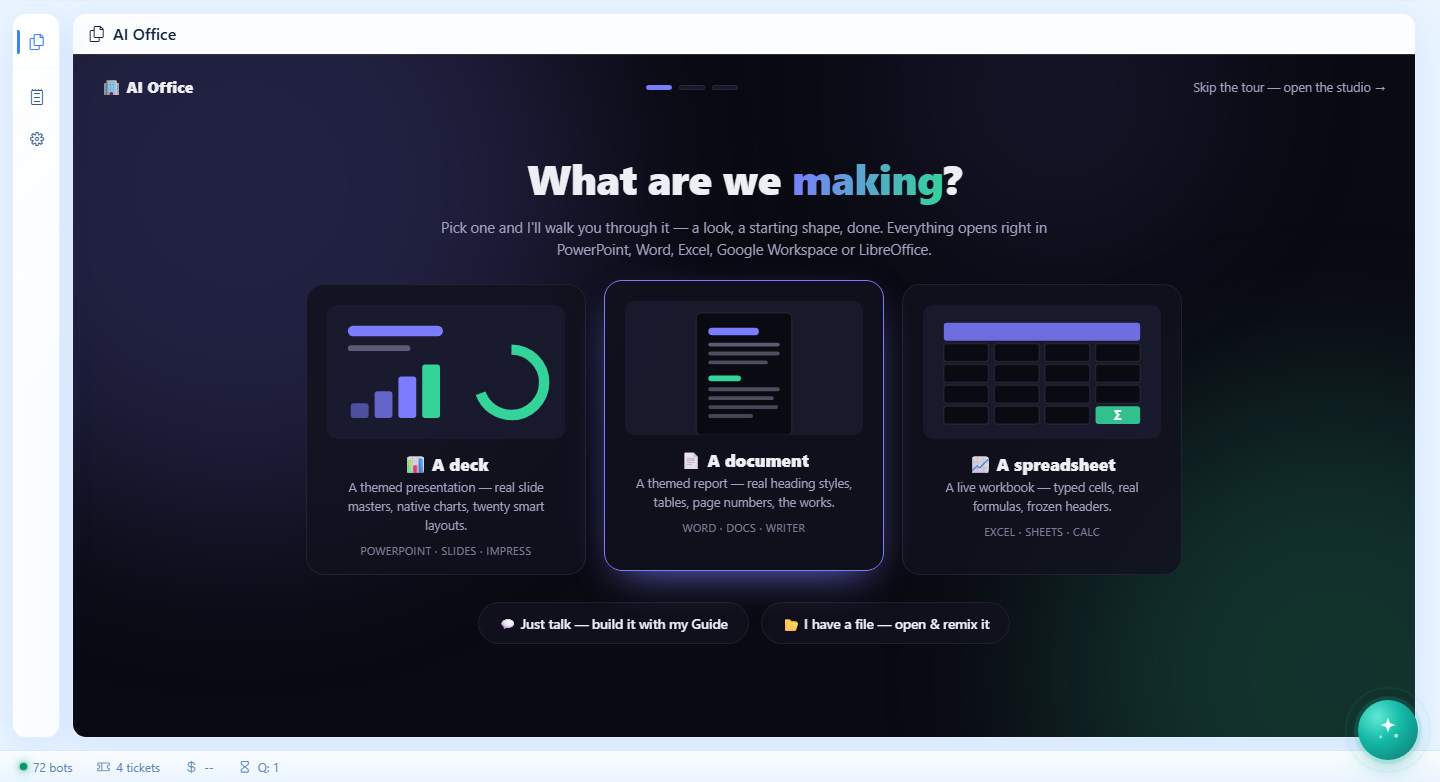
What it looks like.
Productivity · Store package · v2.9.0
One outline, three artifacts — a themed PowerPoint deck, Word document, or live Excel workbook.
Opens at office.oshal.ai — the app lives in the hostname, so a first login lands you right back on it. On your own box it is ?app=presentations.
1 screen in the ribbon · opens on presentations-studio
What it does
Ten shared looks, twenty layouts, fully editable in Microsoft Office, Google Workspace or LibreOffice; saves to Dropbox, Google Drive, OneDrive, or OSHAL local. A guided visual start walks you from artifact to look to outline — or talk to the Guide, open a file, or type one line and AI drafts it all. Phone-friendly: dictate instead of typing, resume recent files in one tap, drive edits with tap chips. My files is a real file browser - click a file for download, open-in-provider, or edit-and-regenerate. The deck-generation engine stays framework-resident (kernel skill); this package is the studio surface.
On screen
How it runs
Not a chat window with a plugin behind it. Every step below is something the app declares in its manifest, which is why it can be told to you plainly.
Opening ?app=presentations loads its 1 screen into the shared cockpit, starting on presentations-studio. The ribbon, the ticket list and the assistant are already there — the app contributes views, not a second application to log into.
The assistant classifies what you asked for and hands it to the bot that owns that domain. You do not pick the app, and you do not learn a command — routing is by declared capability, not by keyword matching a menu.
deck-builder is accountable for the work. 5 declared capabilities say what it is trusted to do; the tokens and dollars it spends are recorded against that identity, so the cost has a line item rather than disappearing into a monthly bill.
The connector call happens in a fixed server operation outside the model. Only the normalized result reaches reasoning — the token stays encrypted and scoped to you.
Back on the app's own screens, as state you own — not as a chat message you have to scroll back to find.
With the assistant
The assistant is the front door. It classifies your request, delegates to the bot that owns the domain, and answers in one voice — so you do not have to know which of the applications this happens to live in.
deck-builder advertises what it is accountable for, and the assistant matches against that.Accountability
Declared in the manifest and bound to the bot above — so "what is this thing allowed to do" is a list you can read, not a prompt you have to trust.
What it needs
dropbox github google-drive google microsoft. Your token is encrypted per user and consumed by a fixed server operation — the model never sees it.deck-generation storage — reached by declaration, never by copying platform code into the package.Also on the productivity shelf
Your connected message feeds in one place - live stream, activity trends, hot channels, and trending topics over your own Slack messages, with a…
Learn more → ProductivityStoreEvery account you've connected, in one place - click to jump straight into Gmail, LinkedIn, your smart-home app, and more, reconnect a login that's…
Learn more → ProductivityStoreYour inbox, calendar, and day in one surface - the ADR-037 reference comms app
Learn more → ProductivityStoreTakes a built oshal product to traffic, users, and revenue: campaign board with stage-gated intake, per-channel consent (explicit opt-in, default…
Learn more →Underneath
This app does not ship its own queue, its own credential store or its own cockpit. It declares what it needs and the platform provides it.