Shape the look, connect services, install applications and build agent workflows. For administrators, Jarvis Developer Mode brings source changes and checks into a Blue development session alongside Green production.
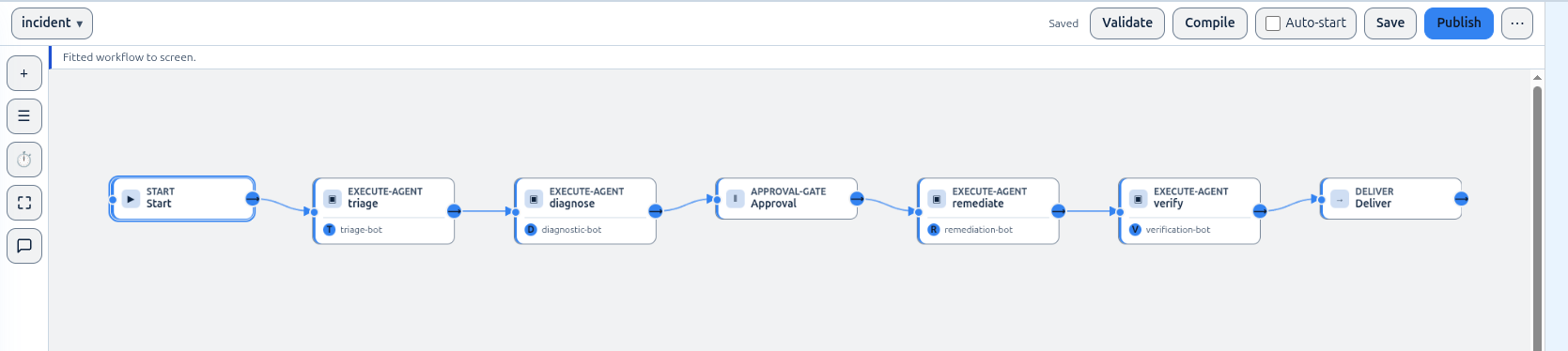
Workflow Studio · the saved incident workflow: triage, diagnose, approval, remediate, verify, deliverOpen full screen ↗
01
Connect the steps in the visual editor.
02
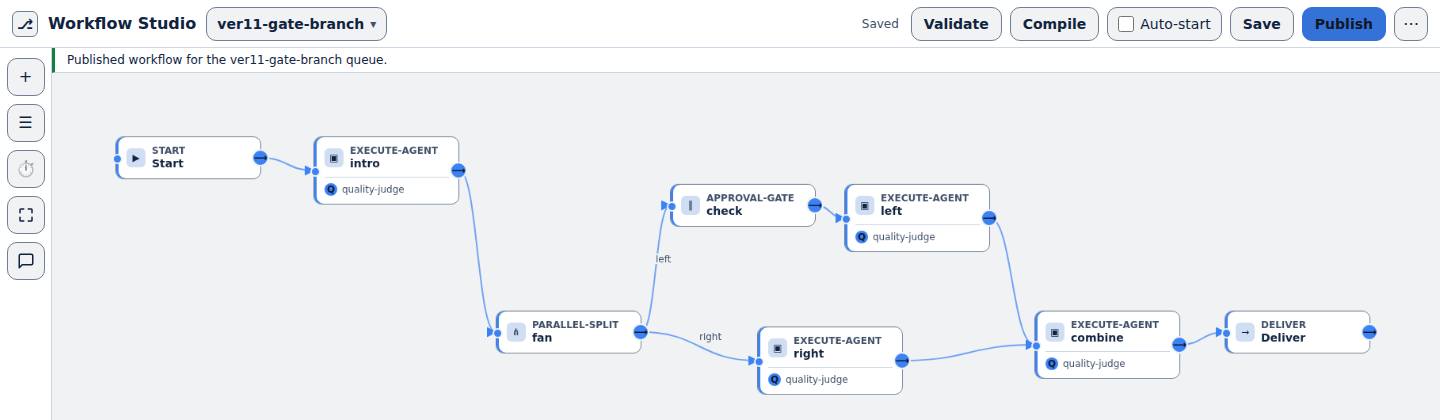
Give parallel branches their own work.
03
Keep review and approval in the process.
Available actions depend on your connected services, applications, devices and permissions.
Look inside
The details make it useful.
01
Make the workspace feel like yours.
Choose a shared appearance, follow your device’s light or dark preference, or enable application colors. Integrated applications can bring their own skin while using the same workspace controls.
02
Connect applications and services.
Install self-contained application packages with their own screens, specialist tools and permissions. Authorize the external services you want them to use; the workspace exposes the capabilities available to your account.
03
Build processes in Workflow Studio.
Arrange agent steps, parallel branches, joins and approval points in the visual editor. Follow the process, run trace and cost as published workflows execute.
04
Develop with Jarvis in Blue.
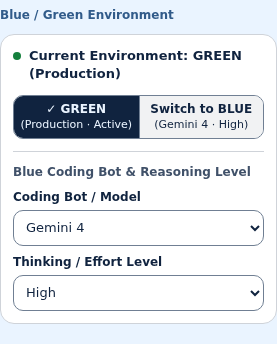
Administrators can switch their own session into the Blue development environment, inspect and change source with Jarvis, run checks and refresh the application. Other sessions continue in Green.
05
Review delivery to Green.
The application delivery workflow previews a promotion plan and requires confirmation. Eligible application packages must already be committed, pushed and merged. Application delivery and platform/kernel deployment have separate release paths.
A published workflow with branches and an approval (recorded acceptance test, November 14)Open full screen ↗Settings · the Blue / Green environment, production selectedOpen full screen ↗
Skinnable. Integrated. Extensible.
Your platform. With room for other people’s ideas.
Choose a shared appearance or let applications wear their own colors. Add-ons can bring their own screens, specialist tools and connections into the same workspace.
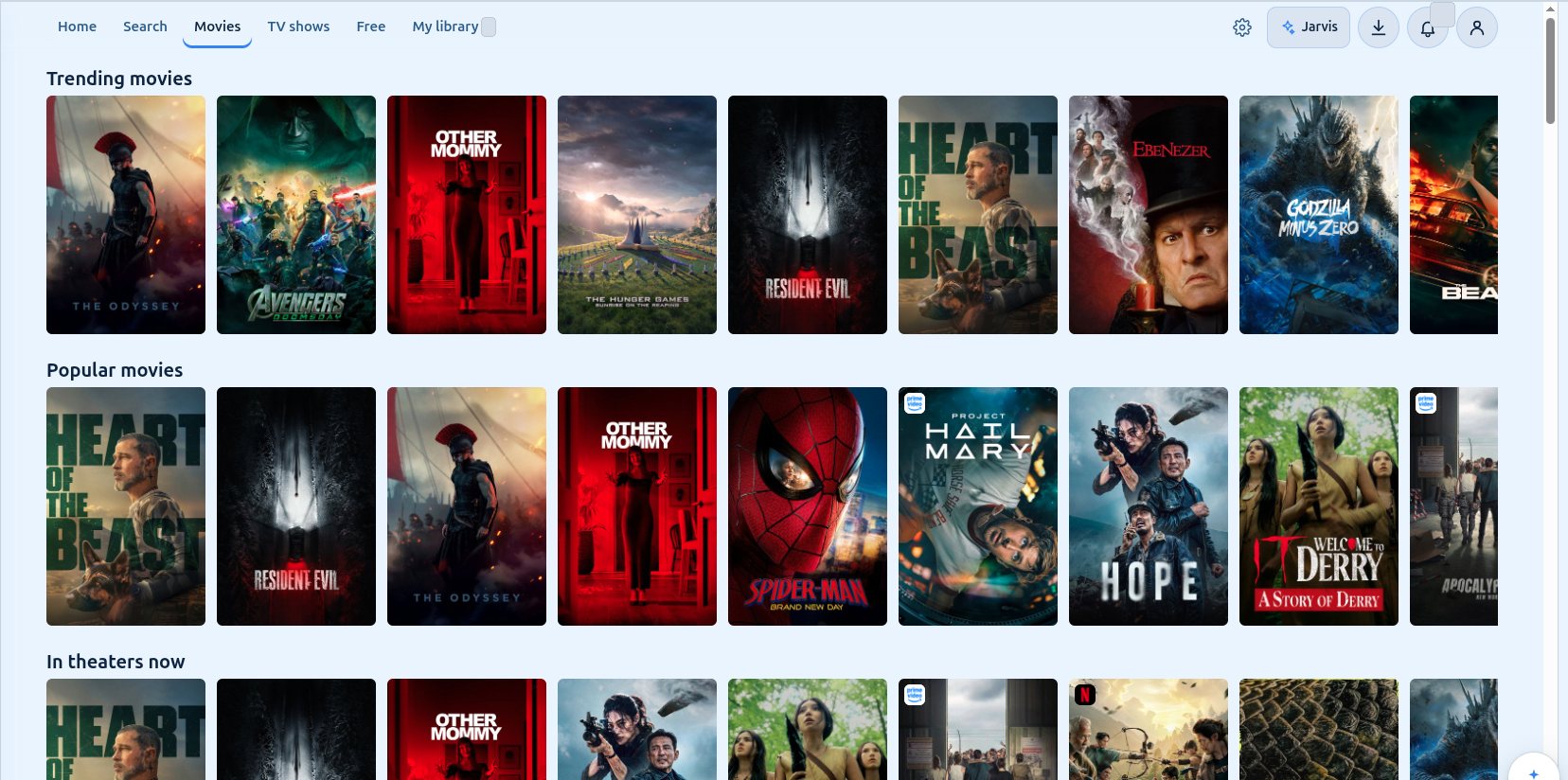
Marquee · current interface · application-specific appearance
Meet Marquee.
A media application with its own identity: discovery, household profiles, libraries, reminders, Jarvis tools and supported playback handoffs.
Built as an integrated add-on. A public contributor release in a separate repository is planned.
Administrators can work with Jarvis on source changes, run checks and refresh applications in their own Blue session while other sessions continue in Green.
n8n workflow import is planned; it is not in the current release.
Blue · develop & check→Green · production
Review a delivery plan before promoting eligible application packages. Application packages must be committed, pushed and merged; platform deployment follows its own release path.
A request can start anywhere. The work can happen elsewhere.
Your phone does not need to run the desktop program. Your browser does not need to hold every tool. The swarm connects the right application or device to each step.
Ask from your phone, a browser or a Moon beside a document. The conversation starts with the work you have in view.
Jarvis can hand a step to an application’s concierge or delegate it to an agent on one of your enrolled devices.
Orbit reaches a bound desktop program or connected browser. A document can be edited in its own application while you are elsewhere.
Return to the conversation, inspect the changes and approve the steps that need you. The work has a record, not just an answer.
Illustration of a supported path. The available steps depend on your connected devices, applications and permissions.
The rest of your day belongs here too
The little details. The bigger picture.
Move between applications without leaving your world behind. Keep the work editable, the assistant nearby and the next step clear.