The system, its alerts, the investigation and the next action belong together. Move through the infrastructure, keep the evidence, and see what the response actually changed.
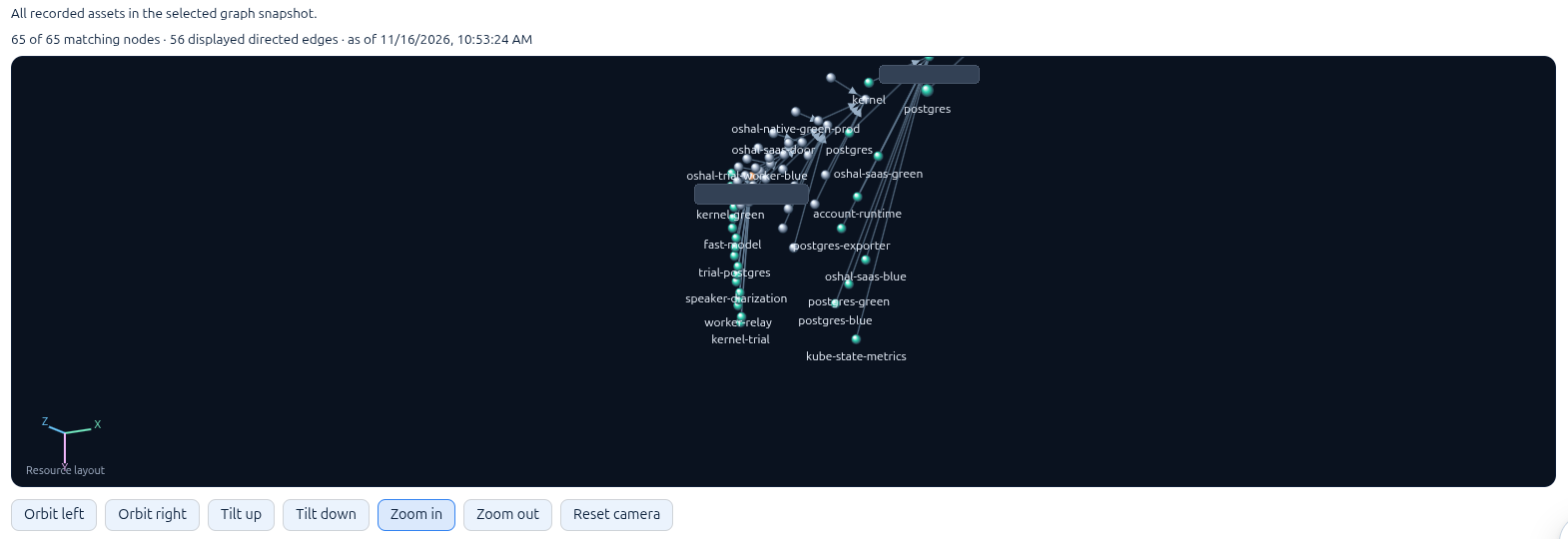
Systems · Graph: the observed estate as a 3D service map. A customer name and our own host are hidden.Open full screen ↗
01
Expand monitored installations and Kubernetes workloads in Systems.
02
Bring alerts and incident evidence into investigation and review.
03
Approve a supported response through your connection, then verify the outcome.
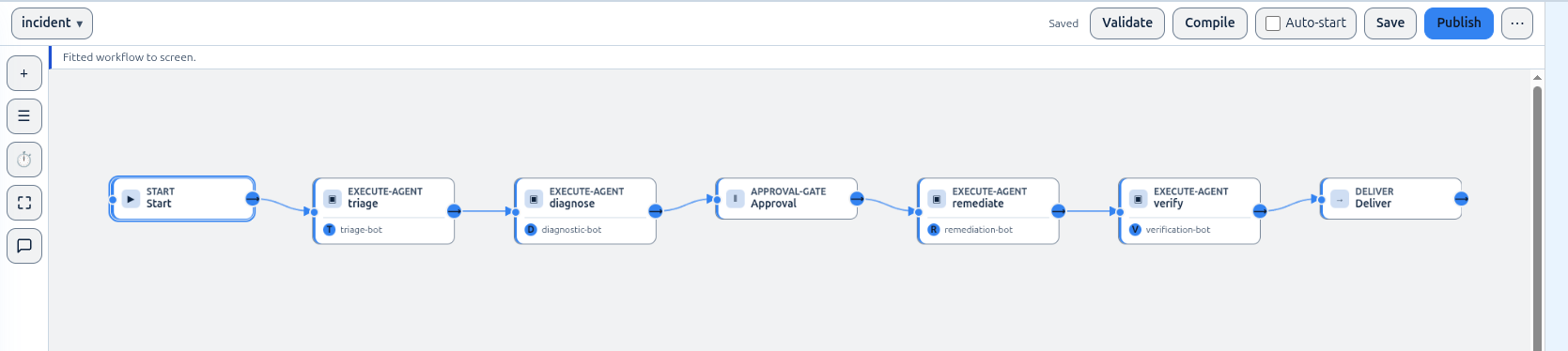
Monitored system → Alert → Investigation → Approval → Verification
Monitoring and infrastructure connections must be enrolled. A finished workflow is distinct from evidence that a system recovered.
Look inside
The details make it useful.
01
Keep watching between incidents.
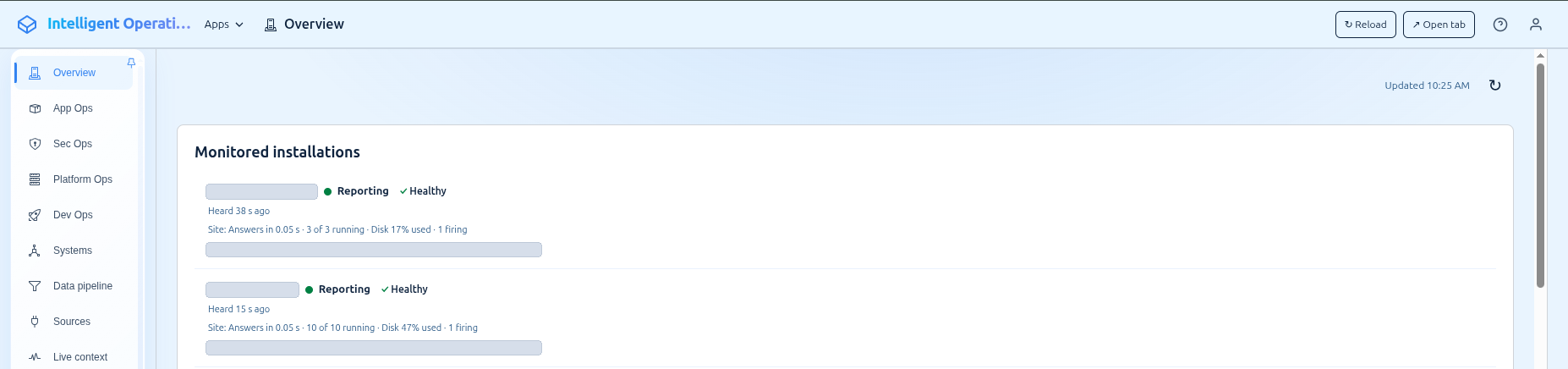
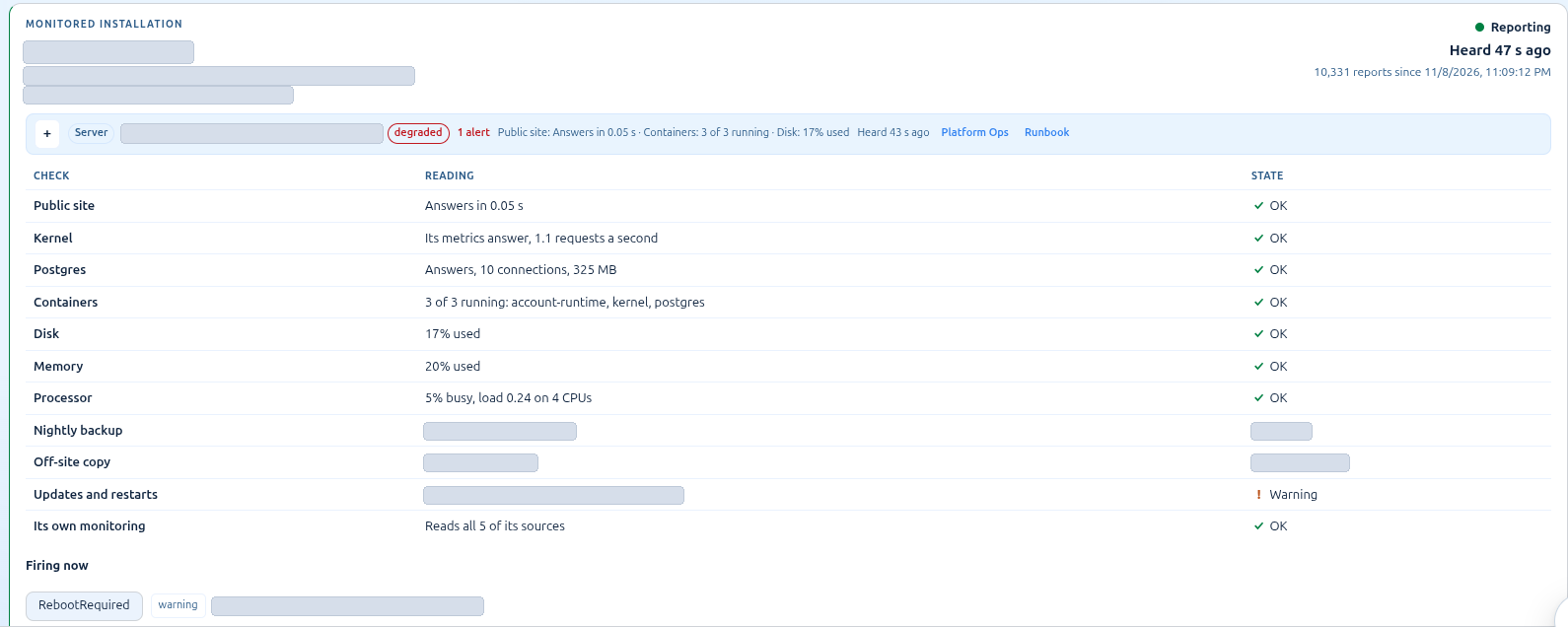
Follow enrolled installations, site availability and response times, alongside processor, memory and disk readings. Last-heard times and late or silent sources stay visible, so a system that stops reporting can become a signal of its own.
02
Give each team a desk for its work.
App Ops, Sec Ops, Platform Ops and Dev Ops bring firing alerts, sources, rules, runbooks and settings into focused desks. Each desk keeps its own access and notification settings while connecting the team back to the wider system.
03
See the system around the failing component.
Expand servers, virtual machines, Kubernetes clusters, nodes and workloads in Systems. Child alerts roll up through the stack, with observations, readings and runbook links close by, so a failing workload has context beyond its alert title.
04
Follow the evidence through the investigation.
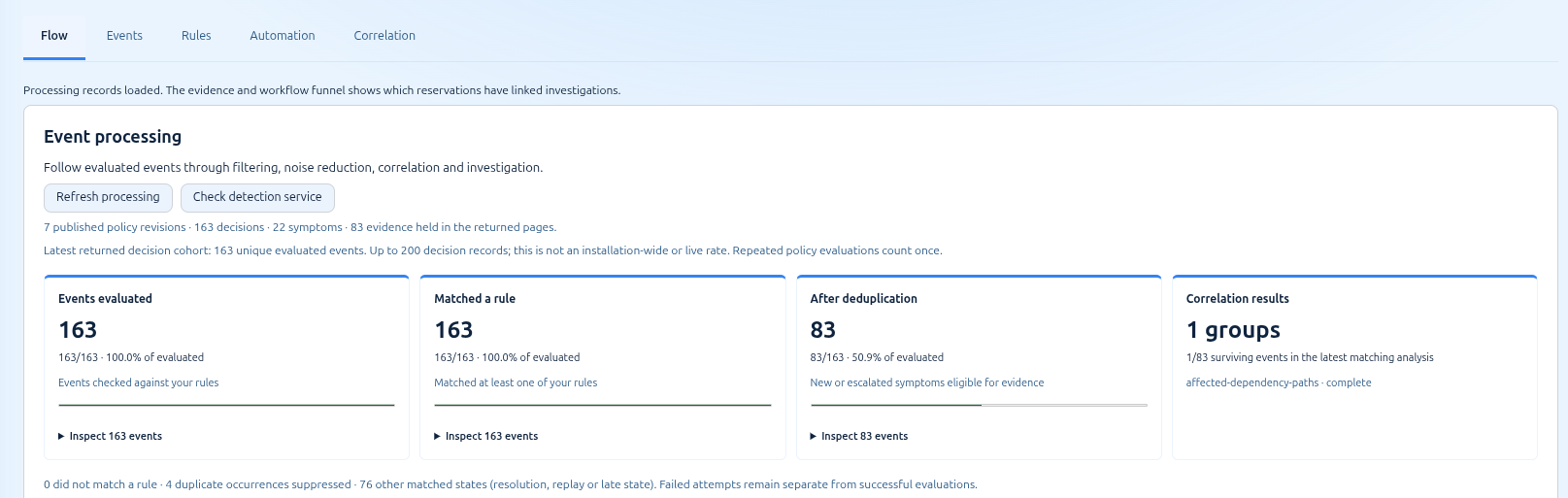
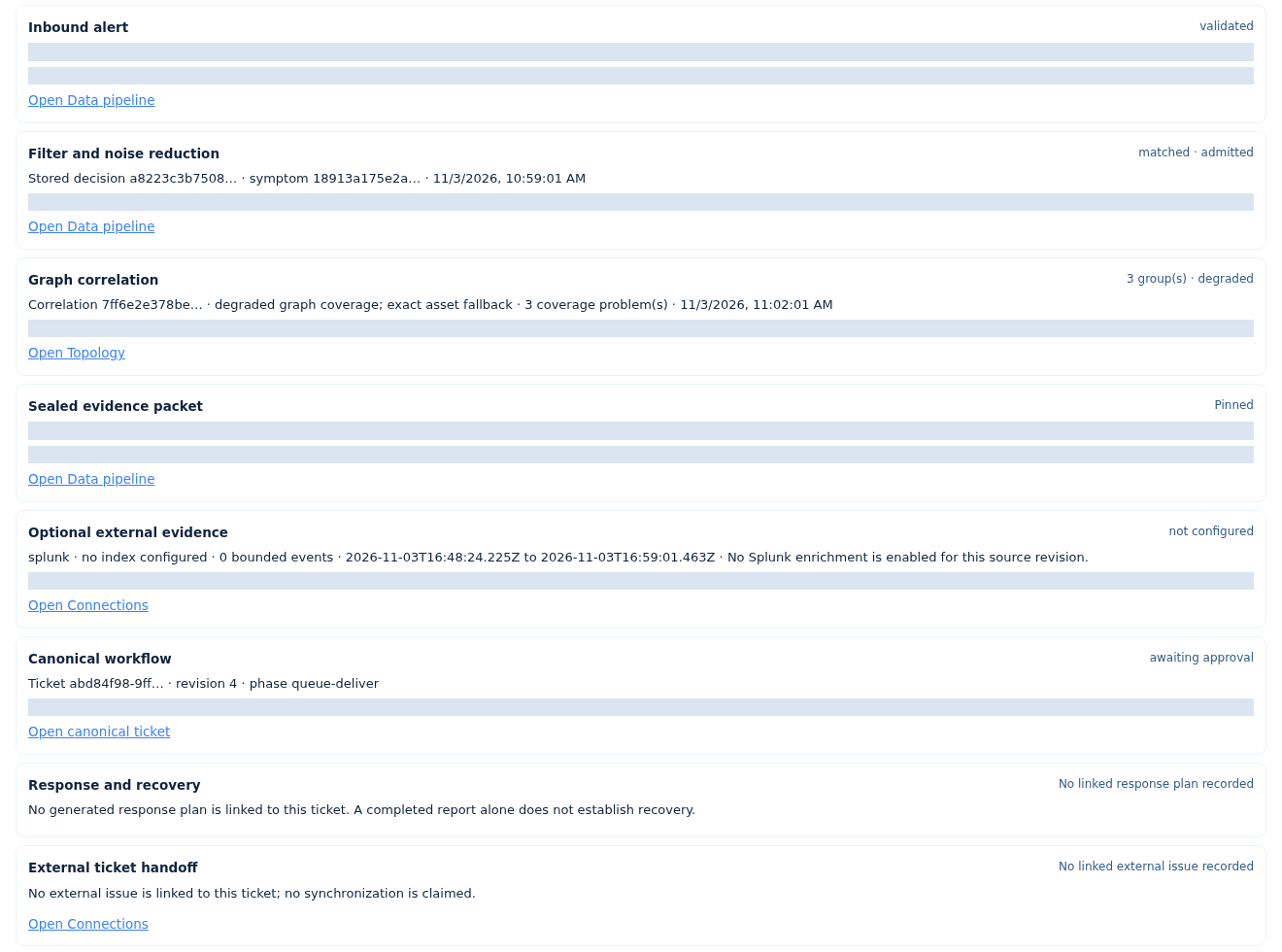
Trace the inbound alert through filtering, noise reduction and related infrastructure into an investigation. Investigators and reviewers work through the evidence and runbooks, while the incident keeps the decisions, findings and proposed plan together for later review.
05
Review the response, then check recovery.
Inspect the target and proposed repair, verification and rollback steps before approving a supported response. Follow its execution and verification in the incident trace. Recovery is backed by the verification result and a resolved signal, rather than merely by a job finishing.
06
Move from a question to the right operational view.
Ask the Operations concierge what needs attention and explore saved systems, investigations and response plans beside the application. Open the relevant desk or response controls to act; the operator console provides connected cluster status, pod logs and reviewed commands for deeper work.
Data pipeline · 163 events evaluated, 163 matched a rule, 83 after deduplication, 1 correlation groupOpen full screen ↗Overview · installations reporting every minute; customer names and update details hiddenOpen full screen ↗Workflow Studio · the incident workflow as designed (not a run): triage, diagnose, approval, remediate, verify, deliverOpen full screen ↗Systems · checks and readings, RebootRequired firing; customer names, backup state and pending updates hiddenOpen full screen ↗Incident trace · awaiting approval, no response plan linked; identifiers hiddenOpen full screen ↗
The pieces work together
A request can start anywhere. The work can happen elsewhere.
Your phone does not need to run the desktop program. Your browser does not need to hold every tool. The swarm connects the right application or device to each step.
Ask from your phone, a browser or a Moon beside a document. The conversation starts with the work you have in view.
Jarvis can hand a step to an application’s concierge or delegate it to an agent on one of your enrolled devices.
Orbit reaches a bound desktop program or connected browser. A document can be edited in its own application while you are elsewhere.
Return to the conversation, inspect the changes and approve the steps that need you. The work has a record, not just an answer.
Illustration of a supported path. The available steps depend on your connected devices, applications and permissions.
The rest of your day belongs here too
The little details. The bigger picture.
Move between applications without leaving your world behind. Keep the work editable, the assistant nearby and the next step clear.